
Why Your GA4 GTM Server-Side Tracking Is a Mess: Common Pitfalls and How to Avoid Them
Server-side GTM can break GA4 if misconfigured; here's how to fix GA4 server-side tracking issues like data loss, consent issues, & attribution gaps.
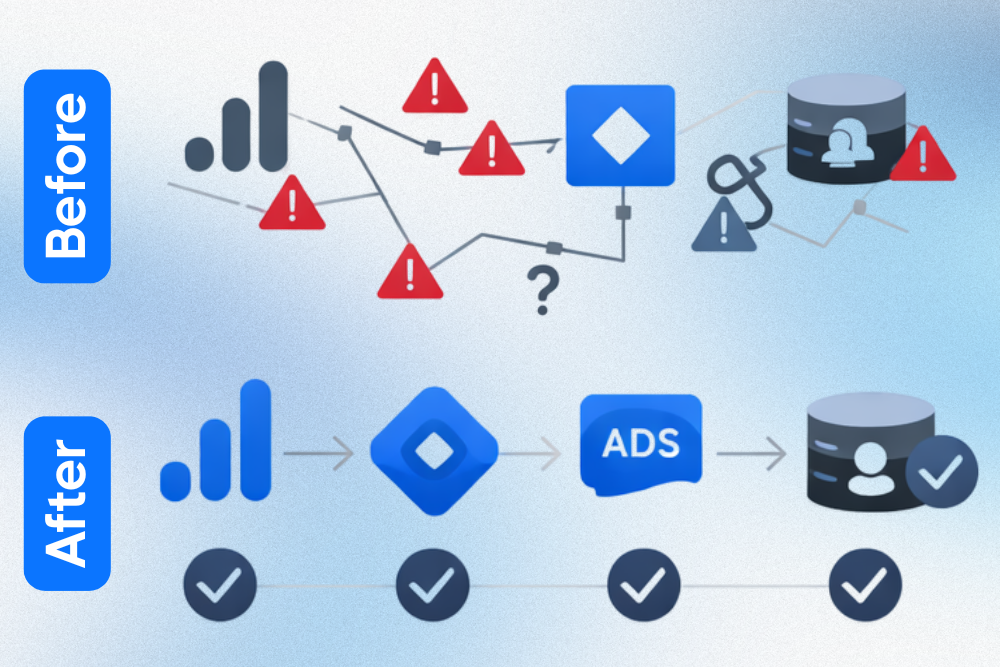
You've been promised that Google Tag Manager (GTM) server-side tracking is the solution to a world of analytics woes. It’s supposed to improve data accuracy, bypass ad blockers, extend cookie life, and give you control over your data. Yet, when you look at your Google Analytics 4 (GA4) data, something is clearly wrong. Conversions are missing, costs are spiraling, and the data just doesn't add up. This is not an isolated incident; many businesses dive into server-side tagging only to find their setup is a tangled mess.
The shift to a server-side environment is more than a simple upgrade, and underestimating this complexity is where things fall apart. While the promise of cleaner, more reliable data is real, achieving it requires navigating a landscape of new technical challenges. This article will dissect the common pitfalls that turn a promising server-side implementation into a data disaster. We'll diagnose the seven most common mistakes and provide actionable solutions to clean up the mess, helping you reclaim control and realize the full potential of your GA4 server-side tracking.
Why Server-Side Tracking Gets Messy

The allure of server-side tracking stems from the inherent weaknesses of client-side methods. Traditional client-side tracking, where data is sent directly from a user's browser to platforms like Google Analytics, is increasingly unreliable. It's vulnerable to ad blockers, browser privacy features like Intelligent Tracking Prevention (ITP), and network issues.
Server-side tagging addresses these pain points by creating an intermediary via your own server container. Data is first sent to this trusted environment, which then distributes it to analytics and ad platforms. This enhances data quality, improves site performance by reducing client-side scripts, and provides greater control over data privacy.
Still, despite its advantages, a server-side setup is not a simple fix. It introduces a new layer of infrastructure that requires careful configuration and maintenance. You are now responsible for a server environment, typically on Google Cloud using Cloud Run, which has its own costs and technical demands. The data flow becomes more complex, involving a client-side GTM container, a server GTM container, and various Clients and Tags within that server container. A single misconfiguration in this chain can lead to data loss, skewed analytics, and inaccurate conversion reporting, turning your sophisticated setup into a source of unreliable information.
Diagnosing the Disaster: Common Pitfalls Wrecking Your GA4 Server-Side Tracking
Identifying the root cause of a messy server-side setup requires understanding where issues most often arise. These seven pitfalls are the most common culprits behind inaccurate GA4 data.
Pitfall 1: Misunderstanding and Misconfiguring the GA4 Client
The GA4 Client in your server container is the gateway for all incoming GA4 data. Its primary job is to receive requests from your client-side GA4 tags, parse them, and make that data available to tags within the server container. A common mistake is treating it as a passive component. Misconfigurations here, such as failing to claim the correct incoming paths or improperly handling user parameters, can cause the server to ignore legitimate data, resulting in significant discrepancies between user actions and GA4 reports.
Pitfall 2: Incorrect server_container_url Configuration
This seemingly simple parameter in your client-side GA4 tag is critical because it instructs the tag to send data to your server container rather than to Google Analytics directly. If this URL is incorrect, misspelled, or uses the wrong protocol (HTTP vs. HTTPS), the data will never reach your server. Developers often set this correctly in production but forget to do so in staging environments, or vice versa, leading to inconsistent tracking across site versions.
Pitfall 3: Event Firing Order and Data Layer Discrepancies
In a server-side setup, the timing and structure of your data layer are intensely vital. The event tag might fire on the client side before the necessary data has been pushed to the data layer, resulting in an incomplete payload sent to the server. Furthermore, the server container processes events as they arrive. If a conversion event is received before the user's session data is available, it can lead to attribution errors. Consistency between the client-side data layer and the server's expectations is paramount.
Pitfall 4: Consent Mode Misalignment and Privacy Regulation Gaps
Server-side tracking does not exempt you from privacy regulations like GDPR.
A major pitfall is a disconnect between the user's consent choices on the client side and the actions taken on the server side. If a user denies consent for analytics cookies, the client-side tag must signal this to the server container, which should then block or redact data accordingly. Failing to properly propagate a consent state can lead to serious compliance violations. With 80% of consumers abandoning brands over data privacy concerns, getting this right is make-or-break for maintaining trust.
Pitfall 5: Infrastructure and Custom Domain Misconfigurations
Your server container runs on real infrastructure, usually Google Cloud. Misconfiguring this environment is a recipe for disaster. This can range from setting up insufficient server capacity, leading to data loss during traffic spikes, to improperly configuring the custom domain. Using a custom domain (e.g., metrics.yourbrand.com) is essential for first-party cookie context, but errors in DNS records or SSL certificate provisioning can bring your entire tracking setup down.
Pitfall 6: Inefficient or Duplicative Third-Party Integrations
One of the benefits of server-side GTM is the ability to send data to multiple vendors (like Google Ads, Facebook, etc.) from a single incoming data stream. A common mess occurs when teams continue to use client-side tags for these vendors while also trying to implement server-side tags for them. This creates duplicate tracking, inflates conversion numbers, and puts unnecessary load on both the user's browser and your server, increasing costs.
Pitfall 7: Neglecting Robust Testing and Debugging
The complexity of the client-to-server data flow makes thorough testing non-negotiable. Many teams fail to adequately use GTM's Preview mode in both the web and server containers simultaneously. They might also neglect to monitor network requests on the client side or to check the logs in the Google Cloud console. Without a multi-layered debugging process, errors can go unnoticed for weeks, silently corrupting your analytics data.
Cleaning Up the Mess: Actionable Solutions and Best Practices

Identifying the problems is the first step. If you’re not entirely sure where the source problem lies, try our free GTM Audit Tool and identify your weak points. Once you’ve got that info, let's move forward with the following concrete solutions to fix a broken setup and establish best practices to prevent future issues.
Solution 1: Optimize Your GA4 Client Configuration
To fix a misconfigured GA4 Client, open your server container and navigate to the "Clients" section. Ensure your GA4 Client is set to the default path (/g/collect*). This default setting is designed to capture all standard GA4 requests. Also, review the settings to ensure that user-provided data parameters and other sensitive information are handled correctly in accordance with your privacy policy, either by being redacted or passed through as intended.
Solution 2: Ensure a Flawless server_container_url Setup
Standardize and validate your server_container_url. The best practice is to store this URL in a Constant Variable within your client-side GTM container. This ensures consistency across all your GA4 tags. The URL must point to your custom domain, use HTTPS, and end without a trailing slash. Double-check that this variable is correctly applied in your main GA4 configuration tag, ensuring all subsequent event tags inherit it correctly.
Solution 3: Master Event Flow and Data Layer Consistency
Implement a structured data layer strategy. Work with your developers to ensure that all required data is pushed to the data layer before the associated event is triggered. Use GTM's Preview mode to inspect the data layer at each step of a user journey. For critical flows such as e-commerce transactions, map the required event sequence and ensure that session identifiers and user parameters persist correctly from one event to the next.
Solution 4: Harmonize Consent Mode Across Client and Server
Integrate Google's Consent Mode v2 meticulously. Your Consent Management Platform (CMP) should control the default consent state and update it based on user choice. Critically, ensure that the consent status (gcs and gcd parameters) is passed with every hit to the server container. In the server container, use Consent settings within your tags (e.g., Google Ads, GA4) to respect the incoming signals, preventing tags from firing or ensuring they operate in a redacted mode for unconsented users.
Solution 5: Fortify Your Server-Side Infrastructure
Regularly review your Google Cloud Run configuration. For most businesses, the recommended minimum of 3 and a maximum of 6-10 server instances provides a good balance between cost and performance, allowing it to scale during traffic peaks without overspending. Set up a custom domain and ensure its DNS A or AAAA records are correctly pointing to the IP addresses provided by GTM. Monitor your billing and server logs in Google Cloud to proactively identify performance bottlenecks or cost anomalies.
Solution 6: Streamline Third-Party Conversions via Server-Side
Commit to a server-side-first approach for third-party tags. Once you have a stable GA4 data stream entering your server container, transition your other tags (e.g., Google Ads Conversion Tracking, Meta Conversions API) to their server-side versions. This involves adding their respective tags in the server container, triggered by the incoming GA4 event data. Once validated, you can pause or remove the corresponding client-side tags to eliminate duplication and improve site speed.
Solution 7: Implement Advanced Testing and Debugging Strategies
Develop a comprehensive testing protocol. This should involve running Preview mode in both your web and server containers simultaneously. On the web container preview, check the outgoing request to your server URL. Then, switch to the server container preview and verify that the request was received by the GA4 Client and that it triggered the appropriate server-side tags. Supplement this with browser developer tools to inspect network requests and with Google Cloud logs to identify any server-side errors.
FYI: If This Feels Like a Lot, That’s Because It Is
Server-side GA4 isn’t complex by accident. It sits at the intersection of analytics, infrastructure, privacy, and attribution, and all four need to be aligned for the data to be trustworthy.
At MetricMaven, we help teams set up server-side tracking correctly from the start, or fix implementations that have quietly drifted off course. That includes audits, cleanup, and stable GA4 and ad platform delivery you can dependably rely on.
If your numbers don’t reconcile or your GA4 data doesn’t feel safe to act on, it’s usually the implementation– and that’s where you can count on us.
That said, not every team is ready to bring in outside help immediately. If you’re managing this in-house, the following section outlines practical ways to reduce risk, catch issues earlier, and prevent your server-side setup from degrading over time.
Maintaining a Pristine Setup Beyond the Initial Fix
Fixing your server-side tracking is a major achievement, but the work isn't over. A clean setup requires ongoing maintenance and vigilance to remain effective and accurate.
Conduct Regular Data Audits and Health Checks
Schedule monthly or quarterly audits of your GA4 data. Compare server-side data against other sources, such as your backend sales database, to spot discrepancies. Create a simple health checklist: verify the server_container_url, check for 404 errors in server logs, and review the firing status of your most critical conversion tags. This proactive monitoring helps catch issues before they significantly impact your data.
Stay Updated with GA4, GTM Server-Side, and Privacy Regulations
The digital analytics landscape is constantly changing. Google frequently updates GA4 and GTM, introducing new features and changing existing ones. For instance, a recent Google Analytics update focused on improving conversion accuracy. Similarly, privacy laws evolve. Dedicate time to stay informed through official blogs and industry resources to ensure your implementation remains compliant and effective.
Upkeep Documentation and Team Communication
Maintain clear documentation for your GTM setup, including both the client-side and server-side containers. This should detail your data layer structure, custom variable configurations, and the purpose of key triggers and tags. Ensure that all team members who may work on the website or in GTM, from developers to marketers, understand the data flow and the server container's critical role.
Making Server-Side GA4 Work in the Real World
Navigating the complexities of GA4 server-side tracking can be challenging, but the payoff in data quality, privacy control, and performance is immense. The "mess" so many businesses experience is not a failure of the technology itself, but a result of overlooked details in configuration, infrastructure, and testing.
The fixes aren’t glamorous, but they are practical. Clear routing, consistent event structure, end-to-end consent handling, and disciplined testing do more for data quality than any single feature or platform update. Teams that treat server-side tracking as living infrastructure, rather than a one-time implementation, tend to get the most value from it.
Use this guide as a playbook.
→ Start by diagnosing your current setup against the seven common pitfalls, or try our free GTM Audit Tool for quick answers.
→ Implement the corresponding solutions methodically, testing at every stage.
→ Establish a maintenance routine and stay informed about industry changes.
If you’re comfortable owning that complexity in-house, the mitigation steps above will help you catch issues earlier and reduce risk as your setup evolves.
And if you’d rather not carry that burden alone, MetricMaven works with teams to audit, stabilize, and maintain server-side GA4 implementations that leaders can rely on when making decisions. With GA4 holding approximately 43% market share among analytics platforms, mastering its server-side capabilities is a significant competitive advantage.


Subscribe to our newsletter





Marketing analytics infrastructure for agencies. Server-side tracking, custom dashboards, and advanced analytics to improve marketing performance.