
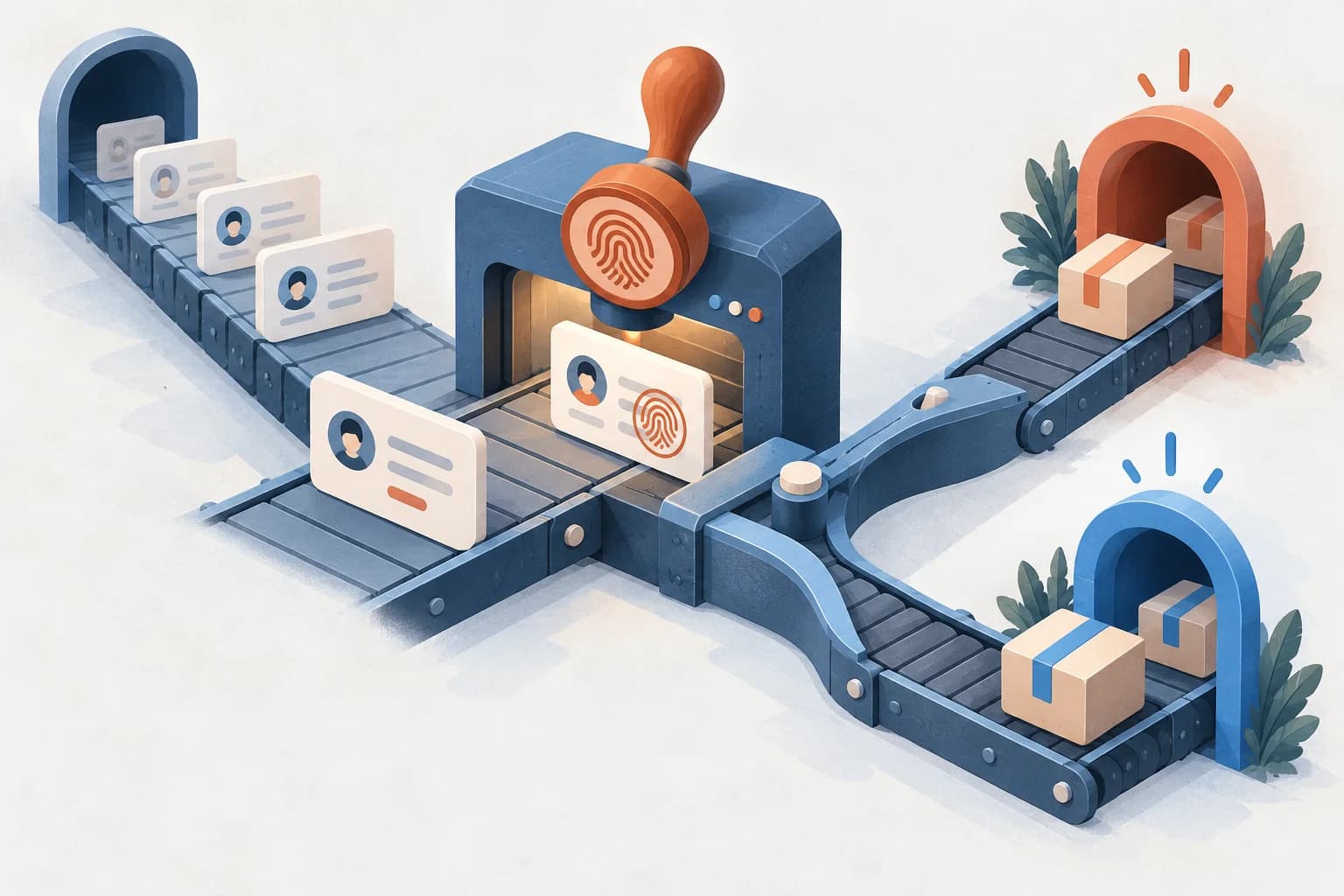
HubSpot offline conversions are lifecycle stage changes and closed-won deals sent from HubSpot back to Google Ads and Meta, so the ad platforms can count and bid on what happens after the form fill. HubSpot’s ad conversion events cover most of this on Marketing Hub Starter and up. You need a custom route for real deal amounts in Google Ads and for the later stages of website leads in Meta.
This guide is part of our offline conversions series. It covers HubSpot as the source. For the Google Ads side in depth, see the Google Ads offline conversion import guide.
What changed in 2026
Three changes shape how HubSpot conversions reach the ad platforms this year.
- Google moved offline imports to the Data Manager API. From June 15, 2026, Google Ads API developer tokens with no offline conversion uploads between December 17, 2025 and June 15, 2026 are restricted, and Google says to migrate to the Data Manager API (Google Ads API deprecations). This matters if you build your own sender from HubSpot. HubSpot’s own sync and Google’s HubSpot connection need no API code on your side.
- Google’s HubSpot connection points to enhanced conversions for leads. Google’s HubSpot data source page imports offline conversions from HubSpot through Data Manager. It calls offline conversion import “a legacy feature” and recommends upgrading to enhanced conversions for leads. If that upgrade shows alerts, see enhanced conversions for leads not working.
- HubSpot’s Google lifecycle events use a fixed value. As of October 2026, HubSpot’s Google conversion events guide says the “Use the Deal amount” option is no longer available. You set one representative amount per event, such as your average deal size.
What you need before you start
- Marketing Hub Starter, Professional or Enterprise. HubSpot allows up to 5 ad conversion events on Starter, 50 on Professional and 100 on Enterprise.
- Your Google Ads and Meta ad accounts connected in HubSpot, under Marketing, then Ads. For Meta, the ad account must be part of a Business Manager account.
- Auto-tracking switched on for each ad account in HubSpot’s Ads settings. HubSpot only attributes contacts to ad clicks made after it is on.
- Auto-tagging on in Google Ads, so ad clicks carry a GCLID.
- A Meta pixel installed through HubSpot. HubSpot recommends removing any pixel code you added to your site by hand, to avoid duplicate events.
- A HubSpot consent property, if you collect consent to share data with ad platforms. When you send consent, Google and Meta only use consented contacts.
- Contacts associated with their deals, and a rule that moves contacts to Customer when a deal is closed won.
The last point is easy to miss. HubSpot’s ad conversion events trigger on a lifecycle stage change, a HubSpot form submission, or, for Meta only, a page view. HubSpot’s guides list no deal stage trigger. HubSpot defines Customer as “a contact or company with at least one closed deal,” and its lifecycle stage guide lets you update stages from a record’s associations or set them in a workflow on Professional or Enterprise. Check that a deal moved to Closed won, the default won stage in HubSpot’s sales pipeline, really moves its contacts to Customer.
Three ways to send HubSpot conversions
Pick by what you need to send. Most teams start with HubSpot’s own events and add a custom route only for what they can’t do.
| Route | Set up in | Sends | Best for |
|---|---|---|---|
| HubSpot ad conversion events | HubSpot: Marketing, then Ads, then Create, then Conversion event | Lifecycle stage changes and HubSpot form submissions to Google Ads, Meta and LinkedIn | Most teams on Marketing Hub. No code. |
| Google Data Manager HubSpot connection | Google Ads: Goals, then Summary, then New conversion action, then HubSpot | Records that meet conditions on the Lifecycle Stage field, to Google Ads only | Teams who manage conversions in Google Ads, or want the first run to pick up recent history |
| Custom sender or middleware | Your code, a workflow tool or a service | Any stage or deal, with the deal amount, to Google’s Data Manager API and Meta’s Conversions API | Real deal values, closed deals from website leads in Meta, and non-HubSpot forms |
1. HubSpot ad conversion events for Google Ads
HubSpot syncs lifecycle stage changes to Google Ads using Google’s enhanced conversions. Each event becomes a conversion action in Google Ads. The steps below follow HubSpot’s Google conversion events guide.
- In HubSpot, go to Marketing, then Ads. In the upper right, click Create, then select Conversion event.
- Choose Google as the ad network, pick the ad account, and select Lifecycle stage change as the trigger.
- Pick the lifecycle stage. You can map it to a different stage name on the Google side.
- Enter a fixed value, such as your average deal size for Customer.
- Optionally, pick the property and value that record consent to share data.
- Under Data sharing, pick the contact data to send. HubSpot hashes it with SHA-256 first. At least one field is required, and HubSpot recommends Email.
- Choose which contacts to share: all contacts that reach the stage, which HubSpot strongly recommends, or only those who interacted with your ads.
- Tick Set the event as a primary action if Google should report it in Conversions and bid on it. Name it.
- On your first lifecycle event, turn on enhanced conversions in Google Ads and choose Google Ads API as the method for user-provided data. Then click Create event.
To sync, a contact needs a value in the Google ad click ID property or contact data such as email, phone or address shared with Google. HubSpot also says the event’s Included in account-level goals setting must be Yes in Google Ads. If you create events for several stages, each stage change syncs separately. Form submission events work the same way for HubSpot forms. HubSpot says they won’t sync through enhanced conversions if the ad account sits under a Google Ads manager account (MCC), even when you connect the account directly.
2. Google’s Data Manager connection to HubSpot
The other Google route starts in Google Ads. Google pulls from HubSpot instead of HubSpot pushing. Per Google’s HubSpot data source page:
- In Google Ads, click Goals, then Summary, then New conversion action.
- Pick a category, then + Add conversion action, select HubSpot as the data source and click Next.
- Sign in to HubSpot, accept the customer data policy, and pick a conversion goal category.
- Add conditions for the records to import. For HubSpot, all conditions must use the Lifecycle Stage field, unless combined with another condition using AND.
- Optionally, add filters. Google maps the required fields from HubSpot automatically, and you can edit them.
- Click Done, then Save and continue.
Google’s data preparation guide says Data Manager imports the last 14 days of HubSpot data on the first successful run, then the changes since the last run. Google also notes that HubSpot’s quota limits, which differ by HubSpot subscription, apply to the import.
1 / 6
Use one route per stage, not both. Two routes feeding the same stage into Google Ads would count it twice.
3. HubSpot ad conversion events for Meta
HubSpot sends Meta events through the Conversions API. Connecting your pixel in HubSpot turns on standard browser tracking through the Conversions API, and HubSpot sends both server and browser events so Meta can deduplicate them. The steps follow HubSpot’s Meta conversion events guide:
- In HubSpot, go to Marketing, then Ads. Click Create, then select Event, and choose Meta and the ad account.
- Select Lifecycle stage change, Form submission or Page view as the trigger.
- For lifecycle events, tick the stages to sync. Custom lifecycle stages work too, and each stage counts as one event.
- Under Data sharing, pick Click ID, Email address and Phone number.
- Choose all contacts that reach the stage, or only those who interacted with ads that HubSpot tracked. Then click Create event.
The catch is in how Meta uses lifecycle data. HubSpot says Meta only supports syncing lifecycle data from contacts who interacted with your lead generation campaigns, and only for campaigns using the Conversion Leads goal. To optimize, you create an event for each lifecycle stage, including Other. In Events Manager, each lifecycle event appears in your dataset under the name of its stage.
1 / 4
Meta’s Conversion Leads guide sets the bar for lead ads: at least 200 leads a month, and the stage you optimize for should happen within 28 days of the lead, with a conversion rate between 1% and 40%.
4. A custom sender for what HubSpot can’t send
Two gaps need your own route: real deal amounts in Google Ads, and closed deals from website leads in Meta. HubSpot’s Google guide says a developer can build this with HubSpot workflows and Google’s Offline Conversions API. A sender, whether your code, middleware or a service, does the same job for both platforms:
- Watch for the change: a deal moves to Closed won, or a contact enters a lifecycle stage.
- Read the associated contact’s click IDs, email, phone and consent, and the deal amount and close time.
- For Google, send the conversion through the Data Manager API, which new integrations use since June 15, 2026. The Google Ads guide has the request format.
- For Meta, send a Conversions API event to the dataset your pixel uses.
- Keep the deal ID with each send, so a retry doesn’t count the deal twice.
Meta’s server event parameters say event_time can be up to 7 days before you send the event. So send each stage change within a week of it happening, and use the time of the change, not the deal’s create date. Meta’s CRM guide requires action_source = system_generated for CRM events, and we use the same value for CRM stages from website leads.
{
  "data": [{
    "event_name": "Customer",
    "event_time": 1792771200,
    "action_source": "system_generated",
    "user_data": {
      "em": ["<SHA-256 of the trimmed, lowercase email>"],
      "ph": ["<SHA-256 of the phone with country code, digits only>"],
      "fbc": "fb.1.1790179200000.<fbclid>"
    },
    "custom_data": { "value": 24000, "currency": "USD" }
  }]
}
Hash em and ph, but don’t hash fbc (customer information parameters). Meta’s custom data parameters define value as a monetary amount and currency as an ISO 4217 code.
Capture click IDs at form submit
Every route above depends on what the contact record holds when the deal closes. HubSpot sets two default contact properties for you (default contact properties):
- Google ad click ID, set automatically from the GCLID that Google Ads adds to the landing page URL.
- Facebook click ID, set automatically from the identifier Facebook Ads adds to the URL, the
fbclid.
HubSpot’s ad tracking guide adds a limit: clicks made while auto-tracking was off aren’t attributed later. Native ad conversion events only use HubSpot forms. If your leads come through another form tool, a booking app or a page on another domain, capture the IDs yourself:
- Read
gclid,gbraid,wbraidandfbclidfrom the landing page URL, and keep them in a first-party cookie so they survive navigation to the form. - Add hidden form fields and map them to HubSpot contact properties. Google’s GCLID setup guide uses the same pattern: a hidden field for the GCLID, stored with the lead.
- For Meta, keep the
_fbccookie value if the pixel set one. If not, buildfbcfrom thefbclidasfb.1.<creationTime>.<fbclid>, where the creation time is when you first saw thefbclid, in milliseconds (fbp and fbc parameters). - Don’t overwrite a saved click ID with a blank value when a known contact submits another form.
Our default is to set that cookie from your own tracking domain, such as a server-side Google Tag Manager container on a subdomain like sgtm.example.com, and to send server-side events from there too. Google recommends serving the server container from the same origin as your site, because cookies the server sets need the two to share a domain (custom domain guide). The server-side tagging guide covers the setup.
Which lifecycle stages to send
HubSpot’s default lifecycle stages are Subscriber, Lead, Marketing Qualified Lead, Sales Qualified Lead, Opportunity, Customer and Evangelist, plus Other. Most stages don’t belong in your ad accounts. A practical set:
| Stage | Send it? | Why |
|---|---|---|
| Lead | Usually not | Your website tag already counts the form fill. Sending it again duplicates the signal. |
| Marketing Qualified Lead | Optional | Useful only if the MQL rule is strict and sales agrees with it. |
| Sales Qualified Lead | Yes | Sales has confirmed the fit. This is often the best stage to bid on. |
| Opportunity | Yes | HubSpot defines it as a contact associated with a deal. It arrives sooner than the close. |
| Customer | Yes | The closed-won deal. Report on it, and bid on it if enough deals close inside the window. |
| Evangelist, Subscriber | No | Not a buying signal for ad bidding. |
Timing decides which stage the platforms can use. Google accepts GCLID imports up to 90 days after the click and enhanced conversions for leads up to 63 days (Google Ads Help). If your deals close in four months, send Sales Qualified Lead or Opportunity as the primary conversion and Customer as a secondary one for reporting. On Meta lead ads, HubSpot asks for every stage, so Meta sees the whole funnel.
Field mapping
The same HubSpot fields go to each platform under different names.
| HubSpot | Google Ads | Meta Conversions API | Notes |
|---|---|---|---|
| Google ad click ID | GCLID (adIdentifiers.gclid in the Data Manager API) | – | Set by HubSpot from the GCLID. One of the two keys HubSpot’s Google sync needs. |
| Facebook click ID | – | fbc, as fb.1.<creationTime>.<fbclid> | Not hashed. |
| Email, SHA-256 | em, SHA-256 | Trim and lowercase before hashing. HubSpot’s native events hash it for you. | |
| Phone number | Phone, SHA-256 | ph, SHA-256 | Include the country code. Meta: digits only, no leading zeros. |
| Lifecycle stage | The conversion action for that stage | event_name | HubSpot names Meta lifecycle events after the stage. |
| Date entered [stage] | Conversion time | event_time | Meta: no more than 7 days before you send. |
| Deal amount | Conversion value and currency, custom route only | custom_data.value, currency | HubSpot’s native Google lifecycle events send a fixed value. |
| Deal record ID | Transaction ID (transactionId) | – | Keeps a resent deal from counting twice in Google Ads. |
| Meta Lead ID | – | lead_id | Lead ads only. Meta prefers it over customer data for CRM events. |
| Consent property | Consent fields (adUserData, adPersonalization) | – | In HubSpot’s native events, the consent property limits which contacts are sent. |
How to check that it works
- In HubSpot, open Marketing, then Ads, then the Events tab. A Needs Attention section lists events that stopped syncing, with authentication errors in red. Click an event for its error details.
- In Google Ads, open Goals, then Conversions, and find the conversion action for each HubSpot event. The All conversions column only counts synced conversions Google can attribute to a campaign.
- For a Data Manager connection, open Tools, then Data manager, and check the connection’s status and diagnostics.
- In Meta Events Manager, open Datasets and select the pixel you used in HubSpot. Lifecycle events appear under the stage name, and form events under the Meta event you chose.
- Move one test contact through a stage you send, then check that it shows up on each platform.
- Compare stage counts in HubSpot with each platform for the same dates. Expect the platforms to be lower: they only count what they can match.
HubSpot says its support team can only pull sync logs when an event shows an error. So a gap between HubSpot and an ad platform, with no error, is usually a matching or attribution difference, not a failed sync. Our guide to why HubSpot and GA4 numbers don’t match explains the same kind of gap on the analytics side.
Common errors and fixes
| Symptom | Likely cause | Fix |
|---|---|---|
| No Customer conversions in Google Ads or Meta | Closed-won deals don’t move their contacts to Customer | Associate contacts with deals, and set the stage from associations or a workflow. |
| Older stage changes never arrive | HubSpot only sends changes made after the event was created | Expected. For Google, a Data Manager connection imports the last 14 days on its first run. |
| Google Ads shows no conversions from a lifecycle event | Contacts have no Google ad click ID and no shared email or phone, or Included in account-level goals is No | Share at least Email, and set the event to Yes in account-level goals. |
| Form events show as sent in HubSpot but not in Google Ads | The ad account is managed under a Google Ads manager account (MCC) | HubSpot says this can’t sync through enhanced conversions. Use lifecycle events, or a custom route. |
| All Customer conversions in Google Ads have the same value | Native lifecycle events use a fixed value | Use a custom sender with the deal amount, or set the fixed value to your average deal size. |
| Meta receives no lifecycle data for website leads | Meta only uses HubSpot lifecycle data from lead ad campaigns | Send those stages as Conversions API events from your own sender or middleware. |
| Duplicate events in Meta | A pixel added to the site by hand as well as through HubSpot | Remove the hand-installed pixel code. HubSpot sends browser and server events for deduplication. |
| Meta rejects the request | An event_time is more than 7 days old | Send stage changes within 7 days, and split old events out of the batch. |
| Conversions counted twice in Google Ads | The same stage is sent by both HubSpot’s events and a Data Manager connection or custom sender | Keep one route per stage and conversion action. |
| Contacts stop syncing for an ad account | The ad account connection lost authentication | Reconnect the account in HubSpot. The Events tab flags these in red. |
One more cause sits upstream: messy lifecycle data. If stages are set by hand or skipped, the conversions you send are wrong too. The HubSpot data cleanup checklist covers the properties to fix first.
How HubSpot fits with your other platforms
The groundwork is the same for every CRM: save the click IDs and contact details when the lead arrives, keep them on the contact, link every deal to it, and send each stage inside the platform’s window. Our guide to offline conversions compares the match keys, hashing and upload windows for Google Ads, Meta, Microsoft, LinkedIn and TikTok.
- Google Ads upload routes, field names and errors are in the Google Ads offline conversion import guide. The website side is in the enhanced conversions guide.
- Meta browser and server events need to share an event ID. See Meta Conversions API deduplication.
- GoHighLevel users can follow the GoHighLevel offline conversions guide.
- Revenue reporting across touches in HubSpot is covered in HubSpot multi-touch attribution.
Maven sends HubSpot lifecycle stages and closed-won deals to Google Ads and Meta as offline conversions, alongside other ad platforms. To check the website side first, a Free Tracking Scan shows which tags load on your lead pages today.
Get the next one before it hits.
Short emails when Meta, Google, GA4 or LinkedIn change something that moves your numbers.
Part of: Offline conversions
Also in By CRM: GoHighLevel offline conversions: sending won deals to Google Ads and Meta
Frequently asked questions
Can HubSpot send offline conversions to Google Ads?
Yes, in two ways. In HubSpot, ad conversion events sync lifecycle stage changes and HubSpot form submissions to Google Ads through Google’s enhanced conversions, on Marketing Hub Starter, Professional or Enterprise. In Google Ads, a Data Manager connection to HubSpot imports conversions using conditions on the Lifecycle Stage field.
Can I send HubSpot deals to the Meta Conversions API?
Natively, only for Meta lead ads. HubSpot syncs lifecycle stage changes to Meta through the Conversions API, but Meta only accepts that lifecycle data for contacts who interacted with lead generation campaigns using the Conversion Leads goal. For leads from your website forms, send the later stages yourself, or through middleware, as Conversions API events to your dataset.
Can HubSpot send the deal amount to Google Ads?
Not with the native lifecycle stage events. HubSpot says they use a fixed value and that the Use the Deal amount option is no longer available. HubSpot suggests a custom setup with workflows and Google’s API for actual deal amounts. Since June 15, 2026, new integrations upload offline conversions through Google’s Data Manager API.
Which HubSpot plan do I need for ad conversion events?
Marketing Hub Starter, Professional or Enterprise, with the ad account connected in HubSpot. HubSpot allows up to 5 ad conversion events on Starter, 50 on Professional and 100 on Enterprise.
Does HubSpot store the GCLID and fbclid on contacts?
Yes. HubSpot’s default contact properties include Google ad click ID, set automatically from the GCLID, and Facebook click ID, set automatically from the identifier Facebook Ads adds to the URL. HubSpot’s Google sync needs either a Google ad click ID or shared contact data such as email for each contact.
Which lifecycle stages should I send as conversions?
Send the stage sales trusts as qualified, such as Sales Qualified Lead or Opportunity, and Customer for won deals. Use the earlier stage for bidding when deals close after Google’s upload windows. For Meta lead ads, HubSpot says to create an event for each lifecycle stage, including Other.
Are lifecycle changes from before I set up the event sent?
Not with HubSpot’s ad conversion events. HubSpot only counts lifecycle stage changes that happen after you create the event. A Data Manager connection in Google Ads imports the last 14 days of HubSpot data on its first run, then the changes since the last run.
Why don’t HubSpot’s numbers match Google Ads or Meta?
They count different things. Google Ads only counts synced conversions it can attribute to a campaign, under each conversion action’s settings, and Meta’s Events Manager totals are not expected to match HubSpot either. HubSpot also only sends changes made after the event was created, and only for contacts with a match key.
Sources and references
- HubSpot Knowledge Base: Create and sync ad conversion events with your Google Ads account
- HubSpot Knowledge Base: Create and sync ad conversion events with your Meta Ads accounts using Meta’s Conversion API
- HubSpot Knowledge Base: Ad tracking in HubSpot
- HubSpot Knowledge Base: HubSpot’s default contact properties
- HubSpot Knowledge Base: Use lifecycle stages
- HubSpot Knowledge Base: Set up and customize your deal pipelines and deal stages
- Google Ads Help: HubSpot (Data Manager data source)
- Google Ads Help: Set up offline conversions using Google Click ID (GCLID)
- Google Ads Help: Offline conversion import FAQ (upload windows)
- Google Ads API: Deprecations and restrictions
- Google Ads Data Manager Help: Prepare your data for import
- Meta for Developers: Conversions API server event parameters
- Meta for Developers: Customer information parameters
- Meta for Developers: fbp and fbc parameters
- Meta for Developers: Custom data parameters
- Meta for Developers: Conversions API for CRM (for platforms)
- Meta for Developers: Conversion Leads integration
- Google Tag Manager: Map server-side tagging to a custom domain